Twinting simply and securely
Making payments and sending money with TWINT is secure. In this article, we will explain how we protect your data and your money as well as how you can effectively protect yourself against scamming attempts.

Don’t tell anyone your password
TWINT is here to help you over the phone or in writing if you have any questions about your TWINT app.
Our employees will never ask you to share personal information such as passwords or login details with them or any other person, either verbally or in writing.
Only enter personal details in your TWINT app, where they are 100% secure.
QR code and payment link
With the TWINT QR code or payment link, you can pay easily, quickly and securely at supermarket cash registers, in farm shops or online.
- Check
Check the payment link. The official structure is https://go.twint.ch/ - Open app
Tap the payment link or open your TWINT app as usual. - Scan
Scan the TWINT QR code with your TWINT app or follow the instructions. Do not scan the TWINT QR code with your smartphone camera or any other app. - Pay
Confirm your payment if required. When you make an online payment using TWINT, always complete the payment with the QR code (or numerical code) in your TWINT app.
-
Step
Send money securely
- Check
Check every payment request carefully. Pay particular attention when making purchases from online marketplaces and exchange platforms. - Verify
Send money only to people you know personally, and never send money to strangers without first verifying their identity. - Check
Check the name, phone number and amount before sending any money.
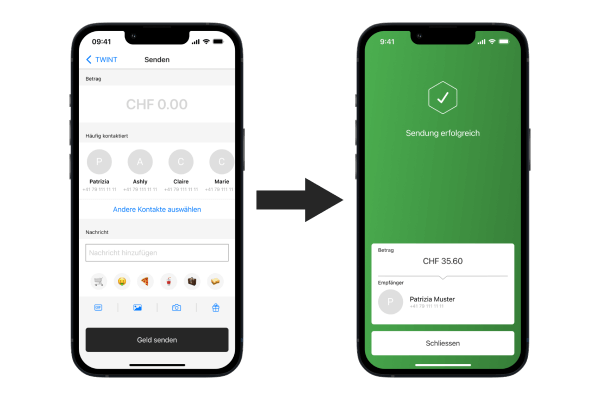
- Check
-
Step
Pay securely online
- Scan
Only scan QR codes from trustworthy sources. - Check
Never pay with 5-digit numerical codes that someone has sent you. - Check
Pay particular attention when making purchases from online marketplaces and exchange platforms.
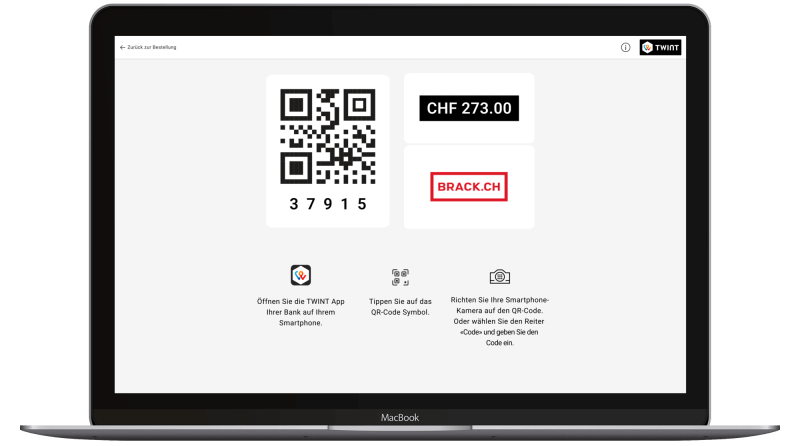
- Scan
-
Step
Security code and PIN
Keep confidential
Always keep your TWINT PIN to yourself.Be cautious
TWINT, our partners and your bank will never ask for your security code.Open app
Only enter the security code or your TWINT PIN in your TWINT app.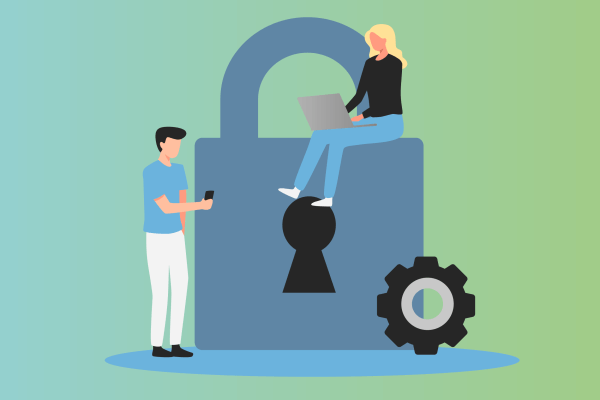
Call your bank immediately in the event of fraud
Have you fallen victim to fraudsters despite being extremely cautious? Get in touch with your bank immediately and describe to the support employee what happened as precisely as possible. You can find your bank’s contact details here.
United against phishing attacks
Did you receive a suspicious-looking email from TWINT? If so, please forward it to abuse@twint.ch. This will help us detect phishing attacks at an early stage and protect all TWINT users more effectively. Thank you very much.
Test your knowledge of fraud attempts
TWINT, together with the Swiss Marketplace Group (SMG), is a partner in the latest prevention campaign run by Swiss Crime Prevention (SCP). Test your knowledge of fraud attempts by completing 4 scenarios and learning how to protect yourself effectively against them. Can you spot all the red flags?
FAQ
We’re happy to help. Here are our answers to the most frequently asked questions about twinting safely.