Use TWINT to pay for your online shopping
Paying with TWINT online is just as quick, easy and secure as using it to pay in the supermarket, at the parking meter or in the farm shop. Give it a try now.


Your benefits
You can twint in 84% of online shops in Switzerland and take advantage of these benefits.
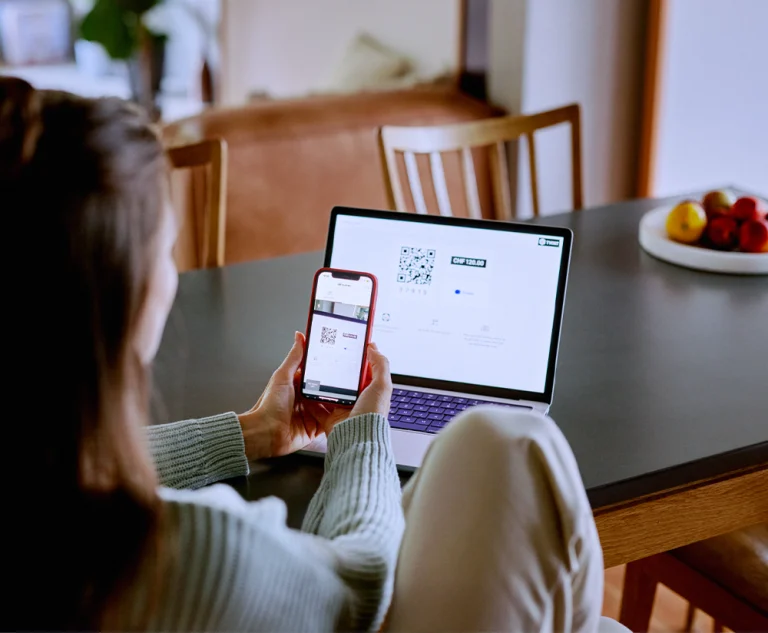
Thanks to TWINT®, paying online is as easy as paying at a cash register. All you have to do is scan a QR code or copy a 5-digit numerical code and enter it – that’s it.
Only you can open your TWINT app, which is protected with a PIN, a fingerprint sensor or facial recognition technology. All transactions take place in a secure environment. You can also check each payment in the overview.
Whether it’s a smartphone or computer: TWINT lets you pay online in 3 easy steps. And with the new TWINT Express Checkout, 1 tap or click is all that is needed to pay simply, quickly and securely.
As flexible as purchase on account, as simple as TWINT. With TWINT, you can choose to pay immediately or pay later at an ever-increasing number of online shops (and cash registers). Without any hidden fees or costs.
How it works
Whether you’re out and about on your smartphone or at home on your computer, pay for your online purchases with TWINT.
-
Step
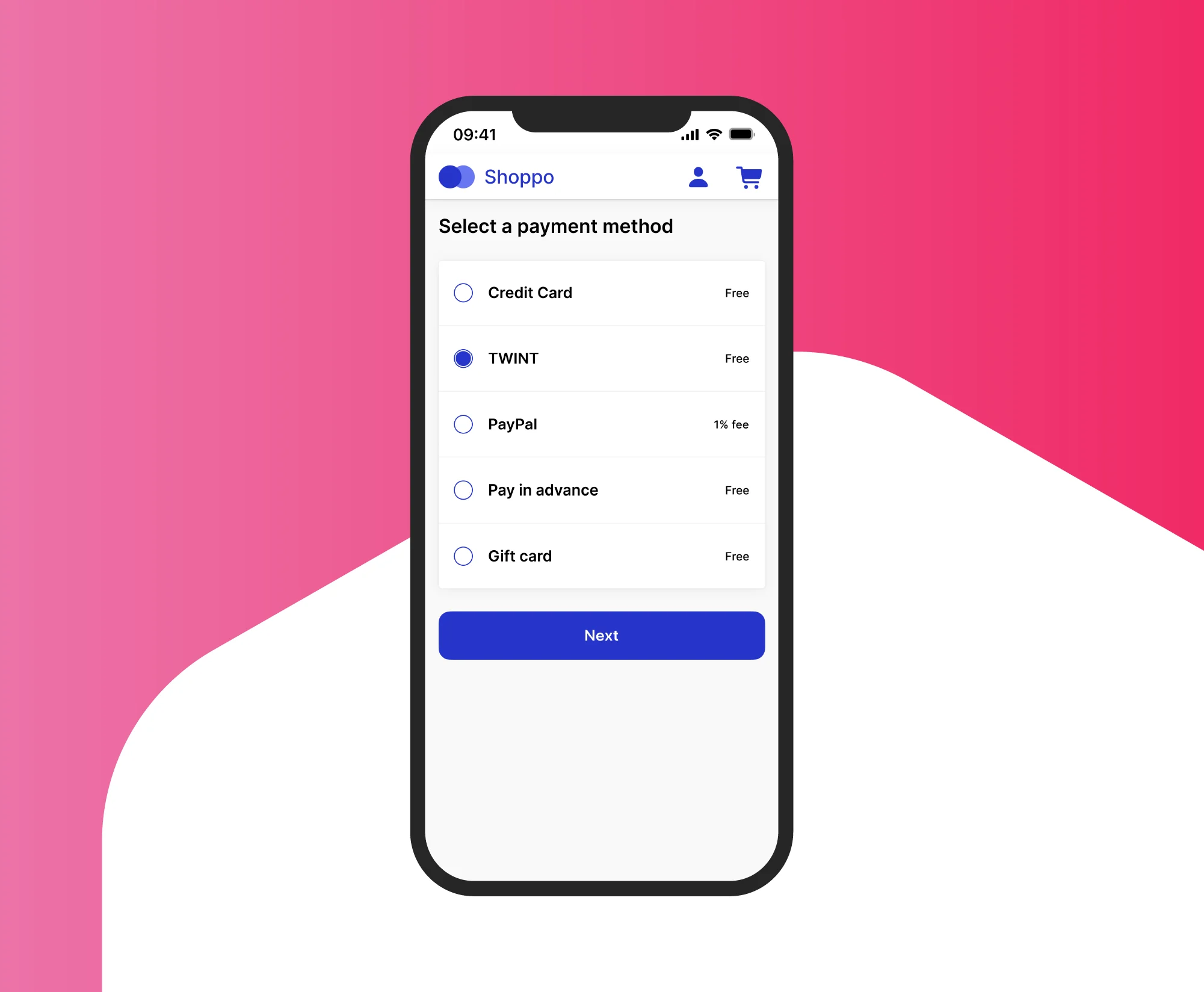
Choose TWINT
Choose TWINT as the payment method when checking out. In many shops, you can also save TWINT as your preferred payment method.
-
Step
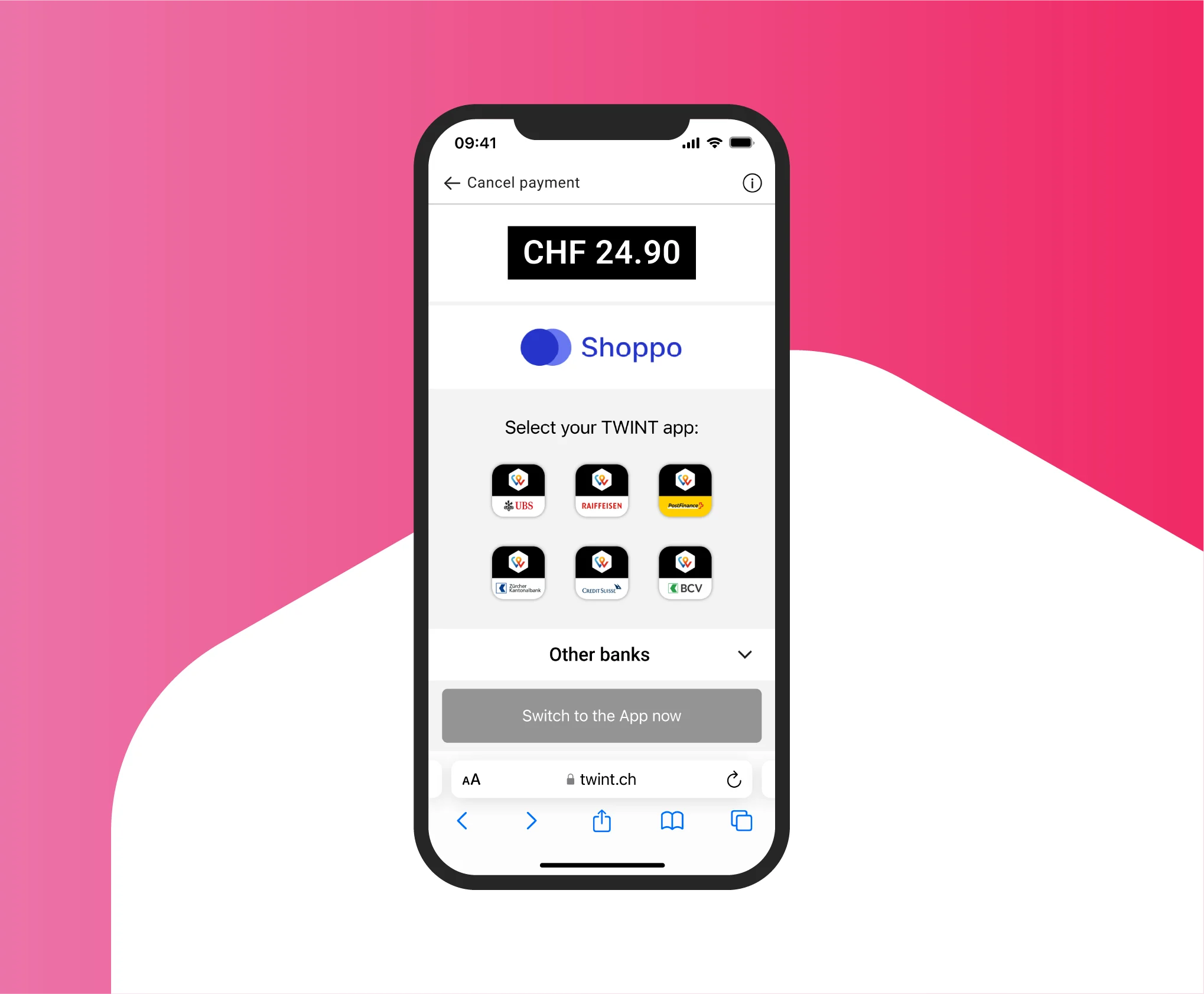
Open app
Smartphone: tap “Switch to app now” or copy the 5-digit code and open your TWINT app
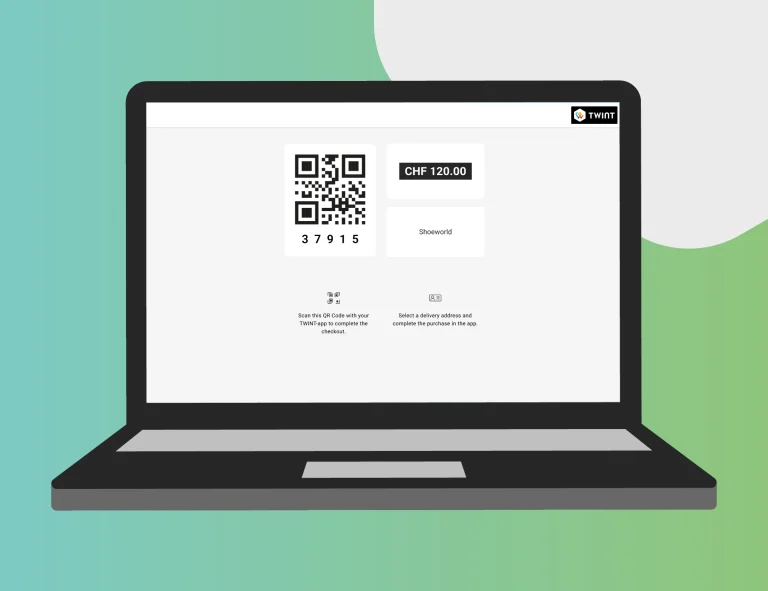
Computer: open your TWINT app and scan the QR code or enter the 5-digit code
-
Step
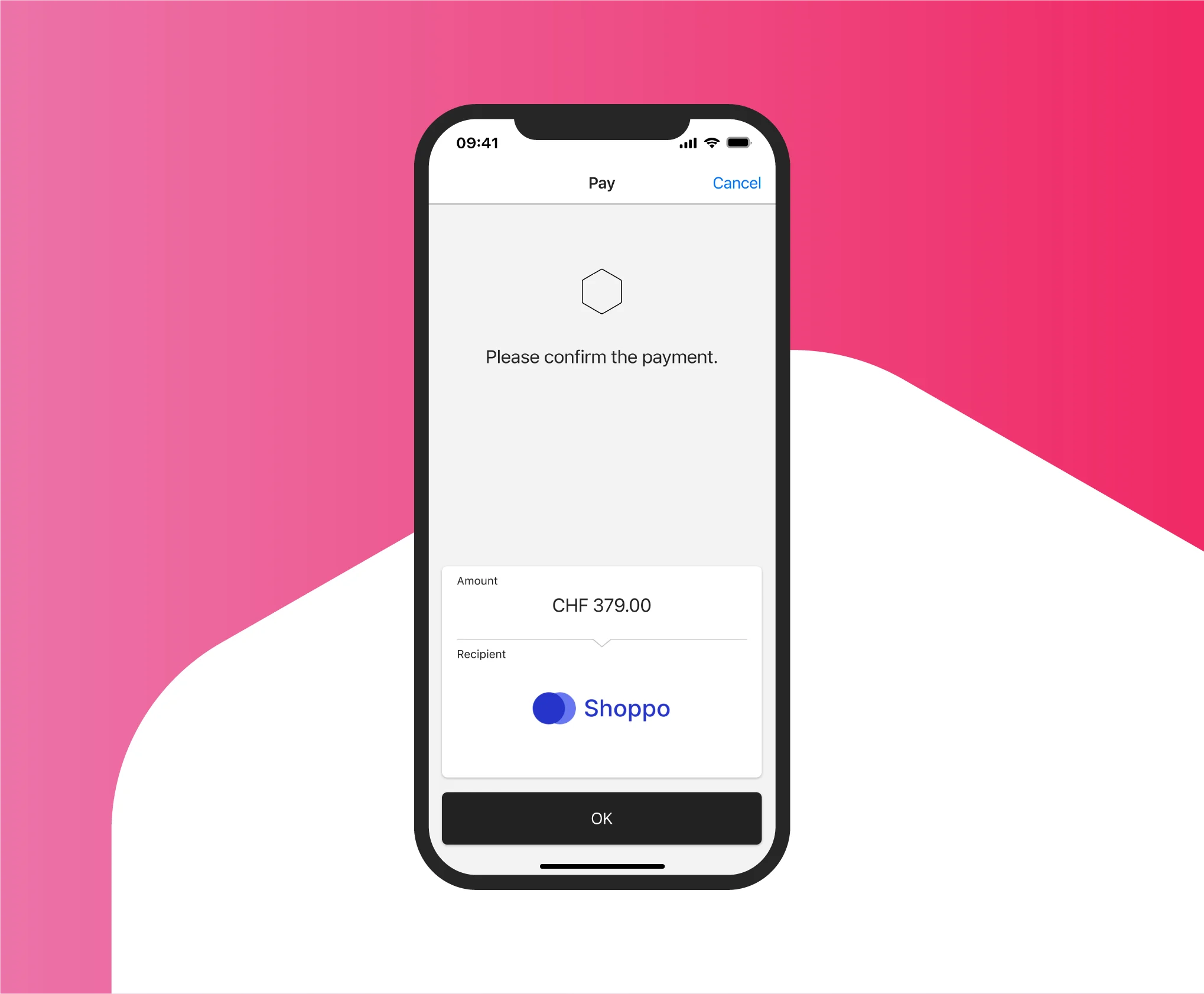
Pay
Confirm the payment in your TWINT app – and you’re done!
TWINT Express Checkout
Don’t you think it’s slightly unnecessary to have to fill out 7 fields to order and pay for 2 pairs of socks? This no longer has to be the case! An increasing number of online shops now offer TWINT Express Checkout, letting you buy things with a single click – no order forms required. All you need is your TWINT ID.
Pay securely online
These tips make online shopping with TWINT not only quick and easy, but also secure:
- Only scan QR codes from trustworthy sources
- Never pay with 5-digit numerical codes that someone has sent you
- Pay special attention when using online marketplaces and exchange platforms
Which shops accept TWINT?
TWINT is the most popular payment method in Swiss online shopping. You can use TWINT to pay in 4 out of 5 online shops – probably also in your favourite online shop.






Support & FAQ
We’re happy to help. Here are our answers to the most frequently asked questions about online shopping.