TWINT Express Checkout
Say goodbye to long order forms. Whether you’re buying 2 pairs of socks or a new TV, TWINT Express Checkout lets you pay with just one tap in an increasing number of online shops. All you need is your TWINT ID.


Your benefits
Leave tedious checkout processes behind and enjoy maximum convenience every time you make a purchase.
You set up your TWINT ID once and never have to fill out an order form again.
Save yourself the hassle of entering your details. With TWINT Express Checkout, you can complete your order in a matter of seconds. Multiple delivery addresses? Select the right address and securely confirm the purchase in your app.
Your data is in the best hands. It is transmitted in a highly encrypted form and only stored on servers in Switzerland.
There is no fee for either creating your TWINT ID or using TWINT Express Checkout.
How to create your personal TWINT ID
TWINT ID will improve your shopping experience. But you can also use the TWINT app without a TWINT ID.
TWINT Prepaid App
-
Step
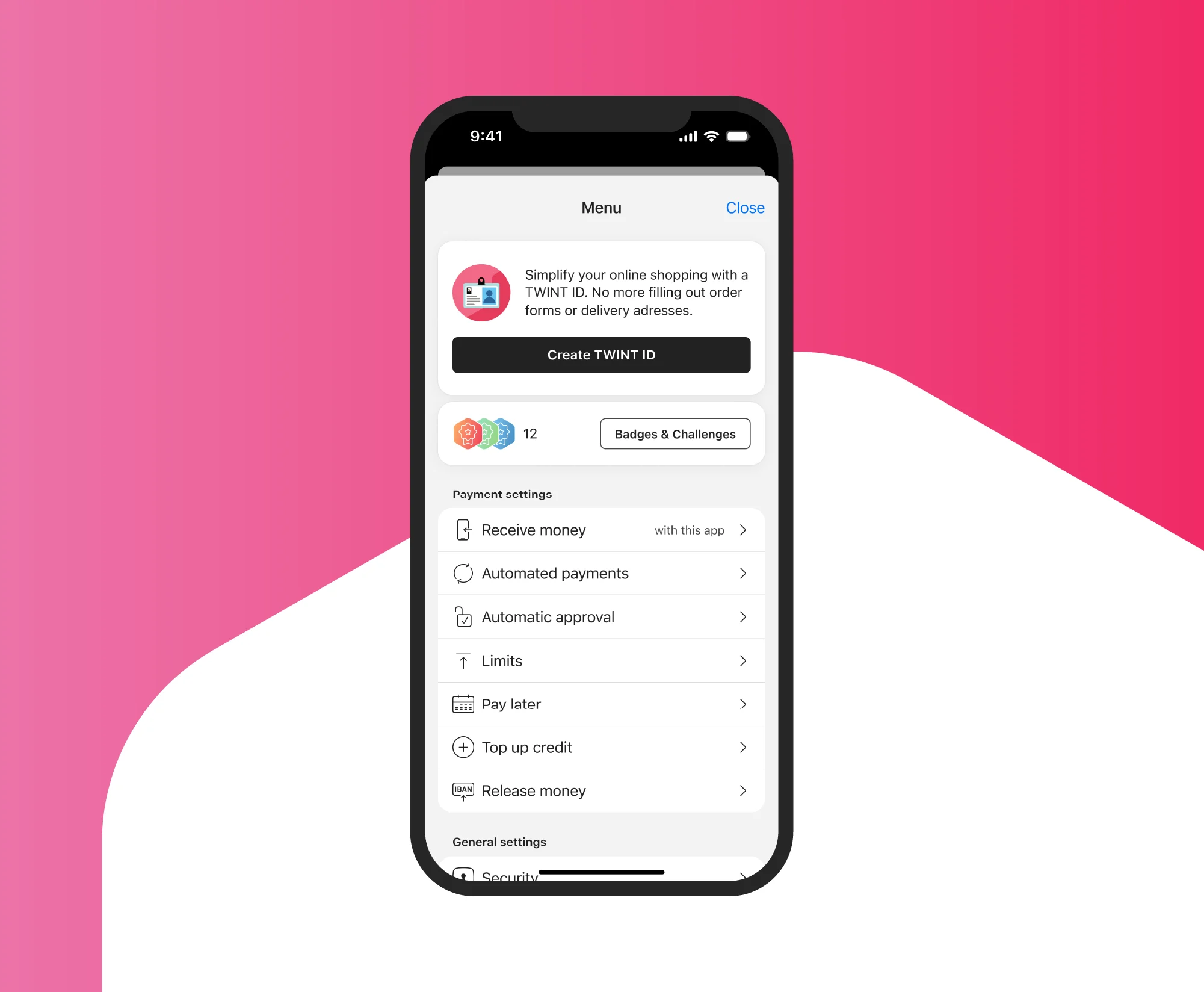
Open the app
Open the TWINT app and tap “Create TWINT ID” in the menu (iOS: top right; Android: top left).
-
Step
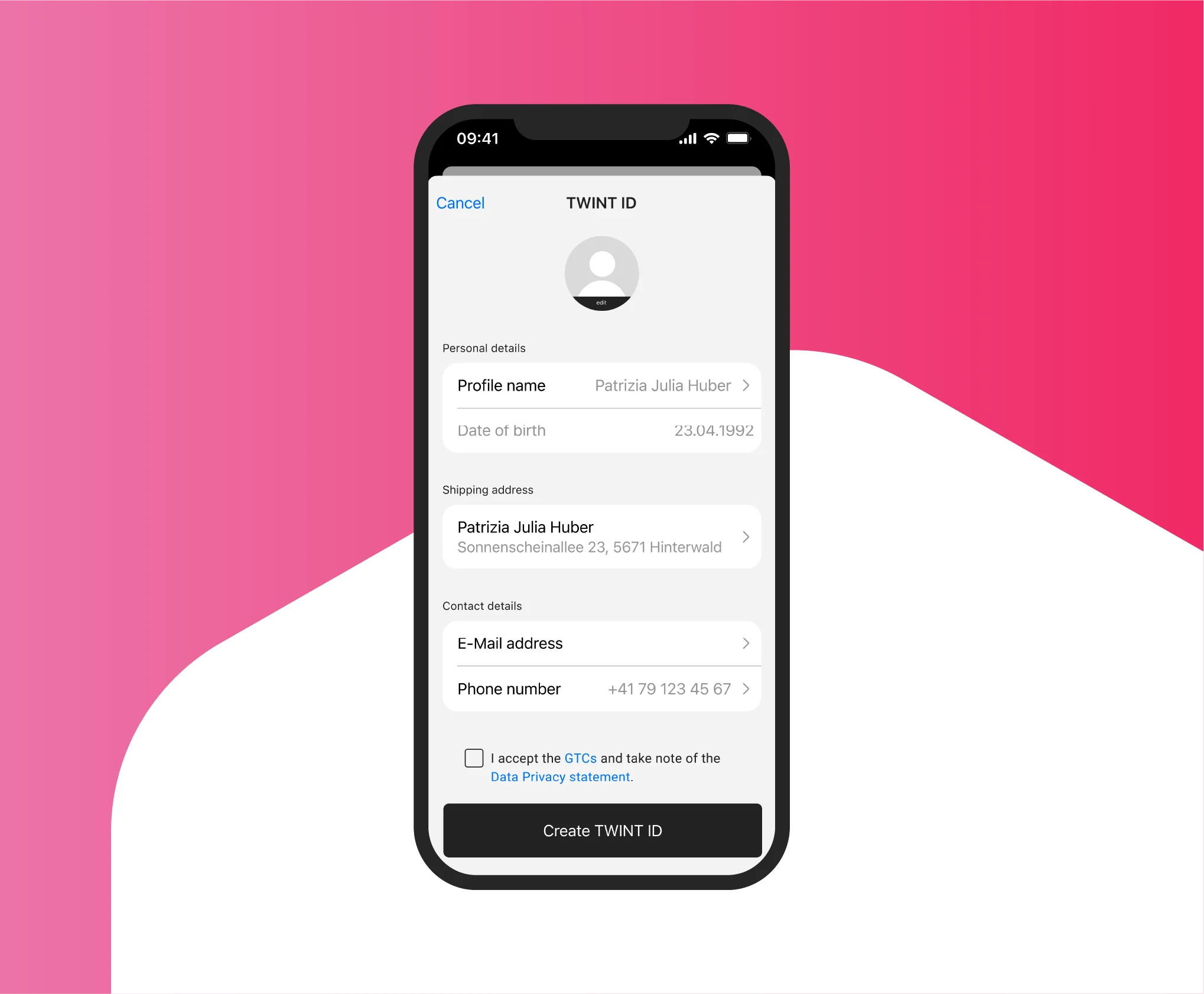
Check the data
Check the delivery address(es), e-mail address, phone number and date of birth.
-
Step
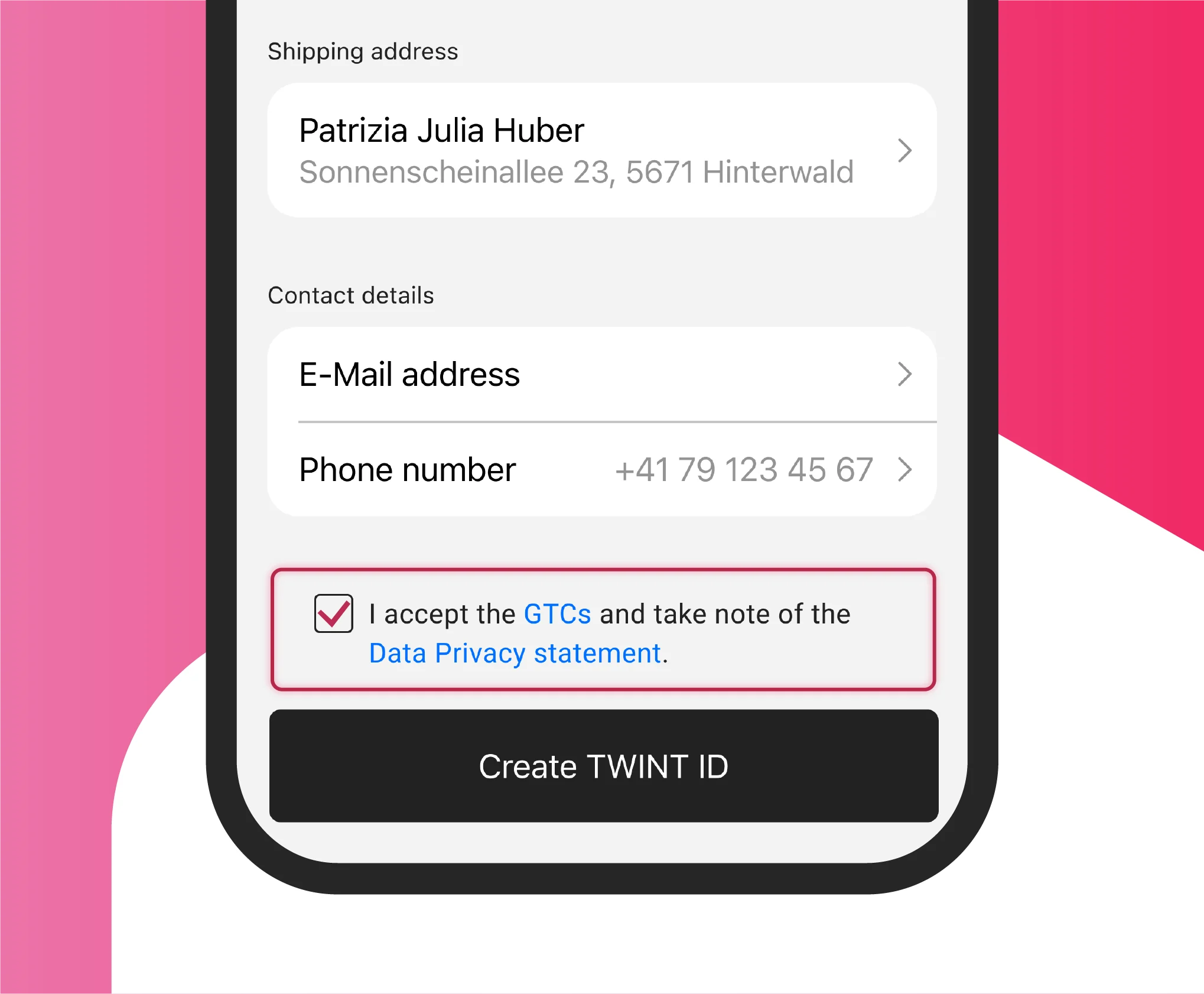
Accept the GTC
Accept the General Terms and Conditions and Data Privacy Statement.
Other TWINT apps
-
Step
Open the app
Open the TWINT app and tap “Create TWINT ID” in the menu.
-
Step
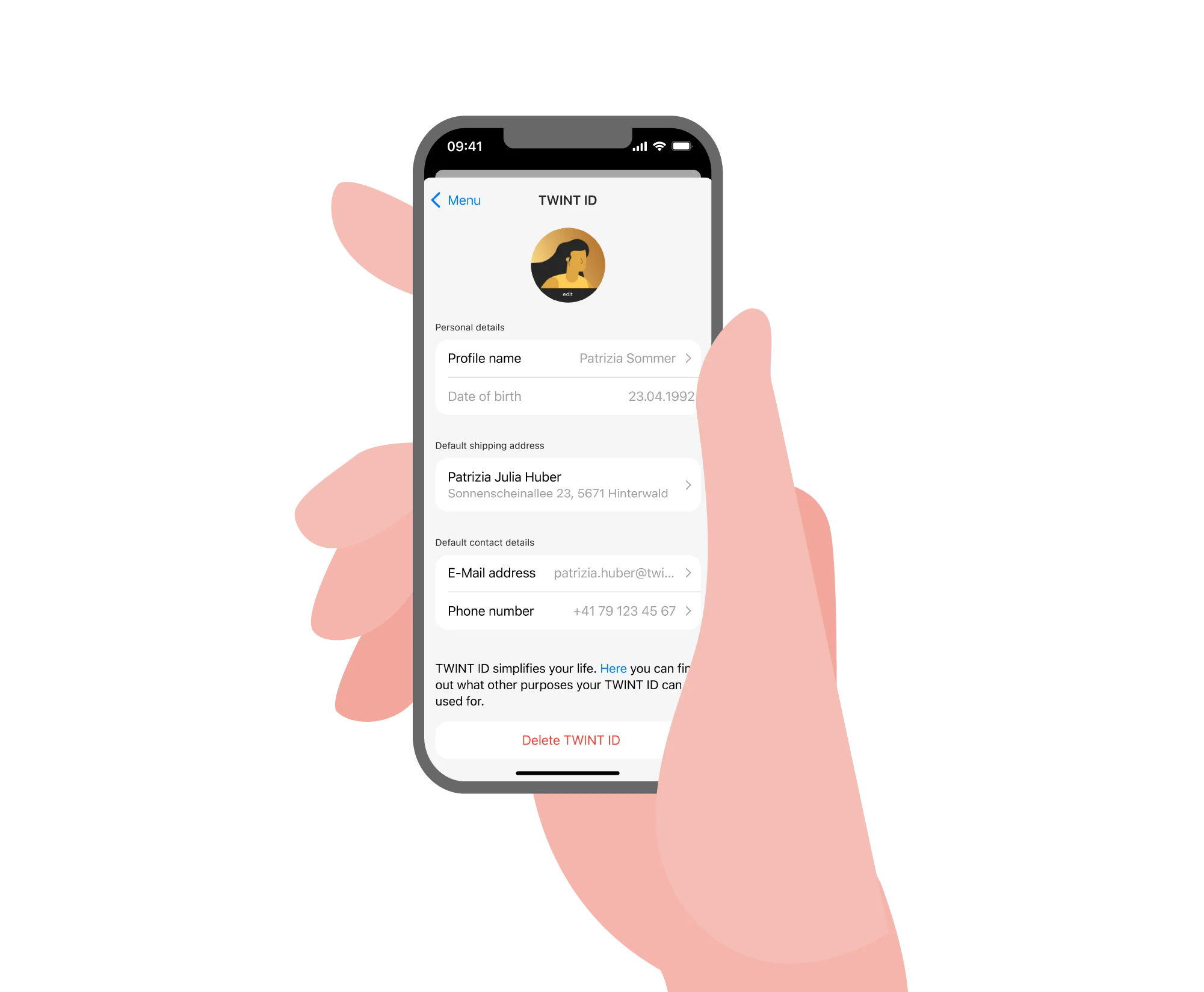
Enter the data
Enter your date of birth as well as your delivery address, e-mail address and phone number. You may optionally enter a username and other contact details or addresses and select an avatar.
-
Step
Accept the GTC
Accept the General Terms and Conditions and Data Privacy Statement.
Amending or deleting individual TWINT ID details
- Open your TWINT ID profile via the menu
- Tap the data you would like to amend or delete
In the TWINT Prepaid app, the data is automatically transferred from your profile. To amend it, go to “Profile settings” and tap “Registered account details”.
Deleting your entire TWINT ID profile
- Open your TWINT ID profile via the menu
- Tap “Delete TWINT ID” at the very bottom of the screen
On your marks, get set, shop online
Shop online in record time. Select an item, tap the TWINT Express Checkout button, confirm the purchase in the TWINT app, and you’re done. Not only is it super-fast and free, it’s also 100% secure thanks to Swiss security standards. See for yourself how fast it is:

Save time at the checkout
TWINT ID makes endless order forms a thing of the past and your shopping experience so much more efficient. Once stored securely, your data is immediately ready to use for the TWINT Express Checkout. This will save you valuable time every time you make a purchase.

Amendments and cancellations
Contact the merchant directly if you want to amend or cancel your order. TWINT cannot do anything once the order has been completed and sent to the merchant.

In the small print, but key
TWINT ID is operated by TWINT AG and not by your bank. The TWINT GTC and Data Privacy Statement apply to your customer profile. TWINT will not use your data for marketing purposes and will not disclose it to third parties. You can amend or delete your TWINT ID at any time via the menu.
Support & FAQ
We’re happy to help. Here are our answers to the most frequently asked questions about TWINT Express Checkout.