How do I securely and successfully collect payments with the QR code sticker?
The easiest, fastest and safest way to check for incoming payments is to use push notifications on your smartphone or smartwatch. This allows you to respond immediately if a payment has not been received. You can also initiate refunds directly in the TWINT Business Portal app, either for the full amount or partial amounts.
You can check all transactions in the Merchant Portal at any time or set up email notifications.
As a last resort, you can ask the customer to show you the confirmation screen on their smartphone after the payment has been made. Pay attention to these security features:
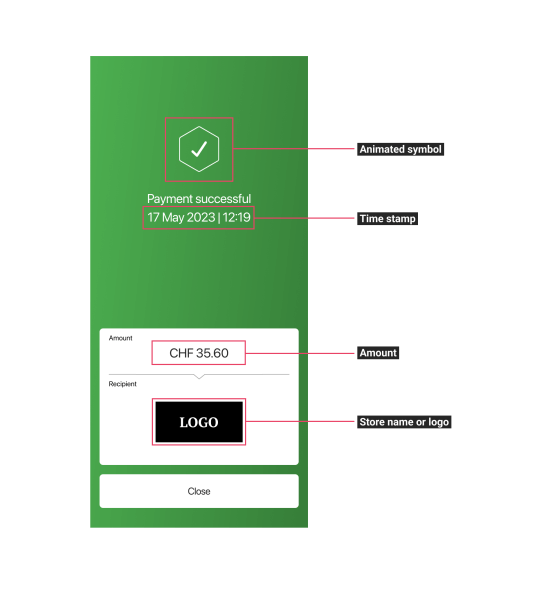
The confirmation screens can change from one app to the next. The elements shown in the image are, however, identical in every app.